Run Detente yourself
Detente runs on your own computers. One machine runs the tower, and each laptop gets Switch Console and the detente command.
The tower
One machine runs Switch, Detente and the radar for the whole team. Someone sets it up once.
Get the code
You need Docker, uv and Node 24 on this machine.
git clone https://github.com/laypatel13/detente
cd detente
Start it
This starts Switch with Mattermost as your team's chat, then Detente and the radar, all in Docker. Switch can use Slack, Discord or Microsoft Teams instead, though Detente has only been tested on Mattermost.
make install
make switch-up
make setup
make up
Let the team's laptops in
Skip this if every agent works on this machine. Otherwise, add this machine's IP address on your team's private network, such as its Tailscale address, and restart. Teammates then use it wherever this page says localhost.
echo "TOWER_ADDR=100.101.102.103" >> .env
make switch-up up
Make a sign-in for each teammate
Run it here on the tower machine. It asks for a password of at least 12 characters. There's no sign-up page anywhere.
make user NAME=yourname
Open your radar
Sign in with the account you just made. Only your team's accounts can see it.
Each laptop
Every computer where a coding agent works. Nobody signs in to the radar here: the detente command uses the pilot token.
Install Switch Console
Switch's desktop app runs your coding agent and puts it in the team's chat. When it asks for a server, choose Connect to an existing server and enter
http://localhost:8110on the tower machine, or port 8110 at itsTOWER_ADDRfrom any other laptop.Install the command
You need Python 3.12 or newer.
pipx install detenteworks too.uv tool install detente
Connect each checkout
It asks for the agent's name, your chat username, the tower's address and the pilot token, which is
DETENTE_PILOT_TOKENin the tower's.envfile. The address ishttp://localhost:8100on the tower machine, and port 8100 at itsTOWER_ADDRfrom any other laptop.cd /path/to/your/repo detente connect
Keep the watcher running
It tells the tower what this checkout's unpushed work changes, while your agent works.
detente watch
Set up the agent in Switch Console
Name it exactly the callsign you gave
detente connectand point it at this checkout's folder. Under Who can talk to your agent, add a rule for the agentdetente: the default blocks its clearances and holds. Then add the agent to the room called tower, where it learns the flight-plan rules. If anything seems off, rundetente doctor.
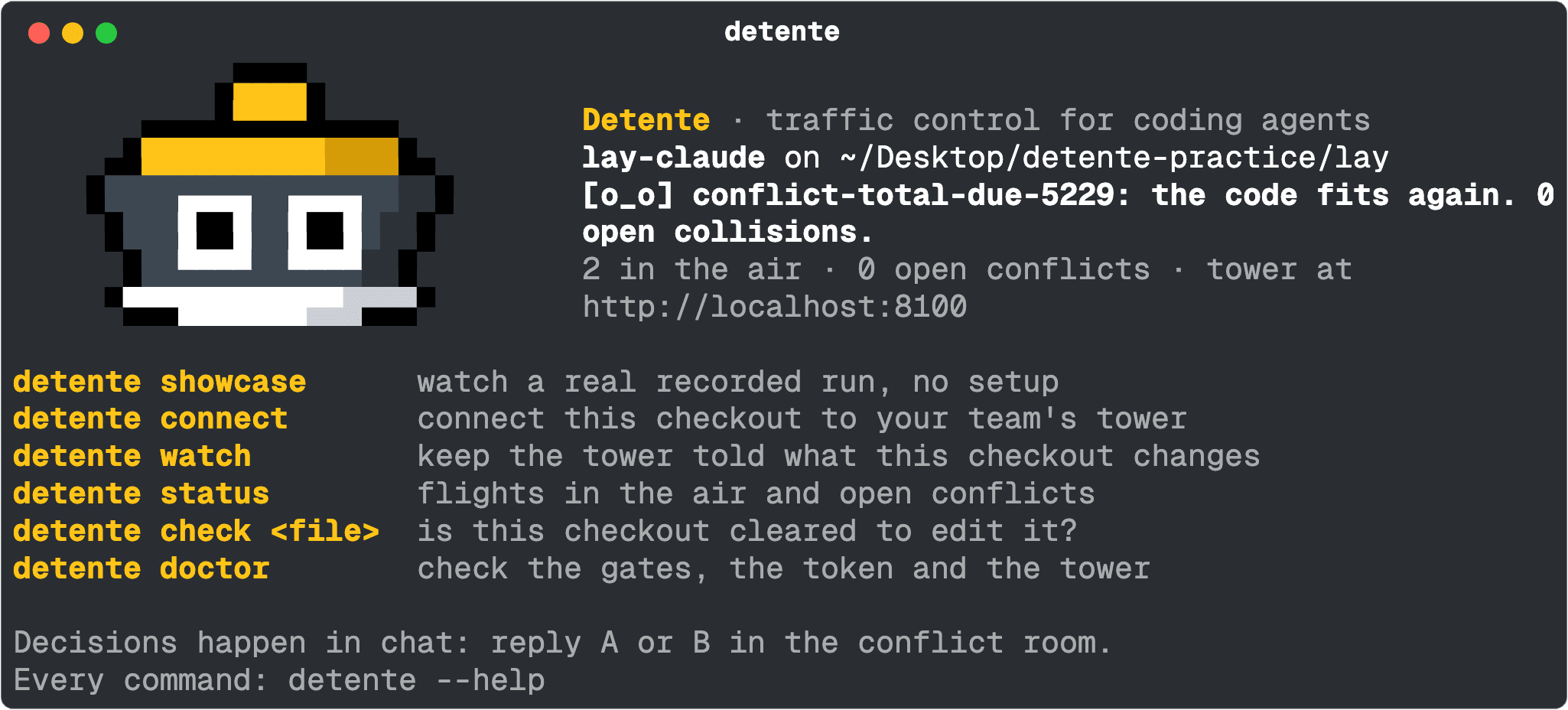
detente in a connected checkout: who this agent is, the latest from the tower, and the commands you'll use most.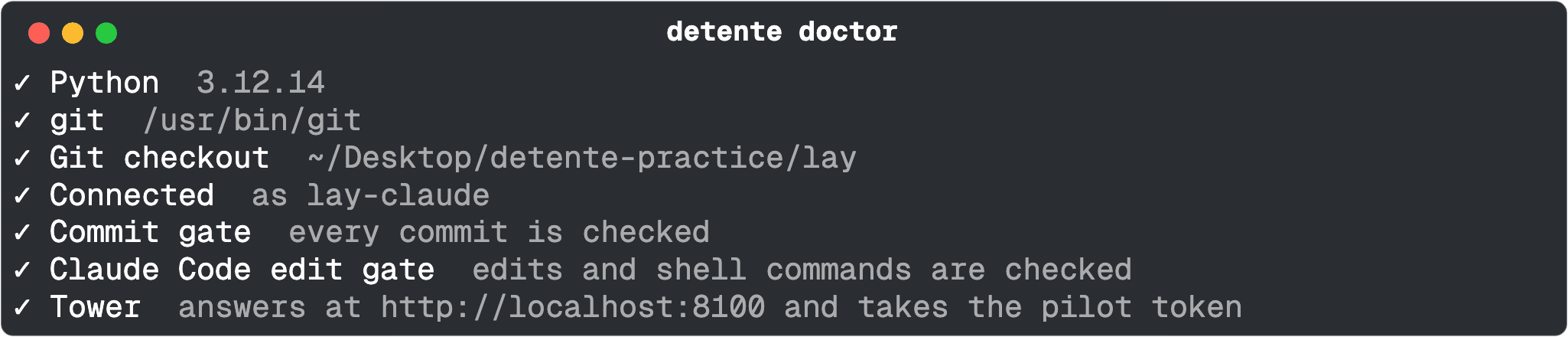
detente doctor once a laptop is set up: both gates on and the tower answering.Then you decide in chat
When one agent's change breaks code another is writing, Detente holds both and opens a conflict room in Switch. Reply A or B there, and the agent you picked makes the fix.
See one happen in the showcase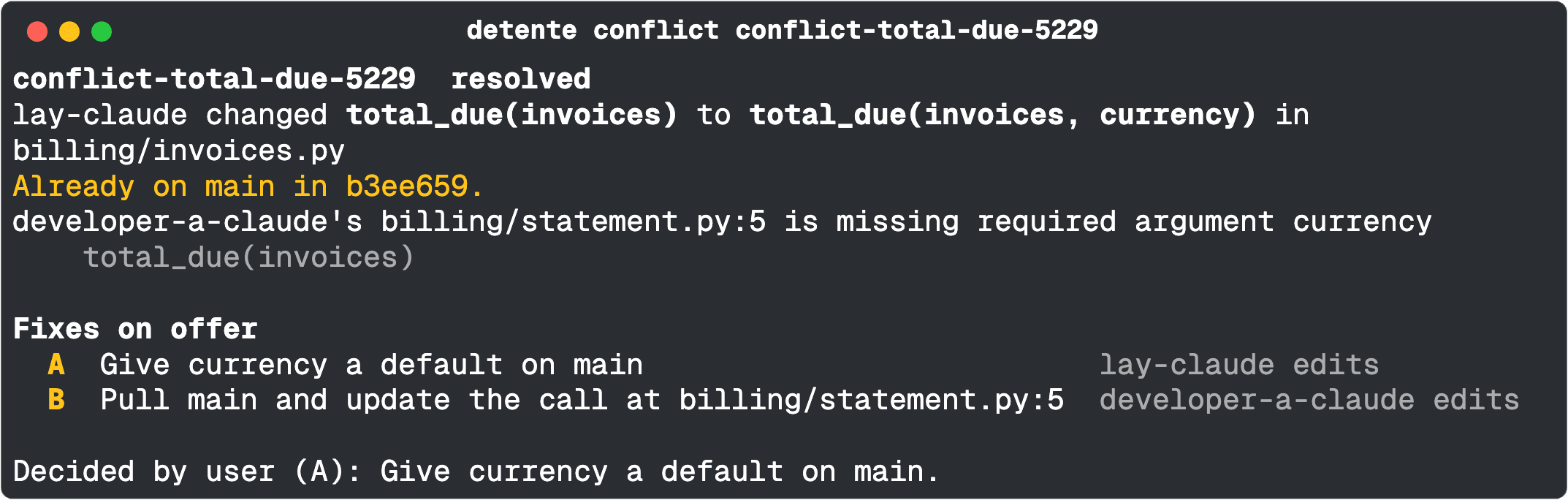
detente conflict shows it: what changed, what it breaks, the two fixes, and the pick made in chat.